
Tuya reset button not working — real reasons and fixes
If your Tuya device does not reset when you press the button, you are dealing with a different kind of problem. This is not about Wi-Fi or pairing — it usually means something is wrong with the reset process, the device behavior, or even the hardware itself.
This issue is more common than it looks. Users press the button, hold it, try again — but nothing happens. No blinking LED, no pairing mode, no response.
In this guide, we will break down the real reasons why the Tuya reset button does not work and show you how to fix it step by step.
What should happen when reset works
Before troubleshooting, you need to know what a successful reset looks like.
Normally, when you press and hold the reset button:
- the LED starts blinking rapidly
- the device enters pairing mode
- the device becomes discoverable in the app
If none of this happens, something is wrong.
Main reasons reset button is not working
Wrong reset method
Not all Tuya devices reset the same way.
Examples:
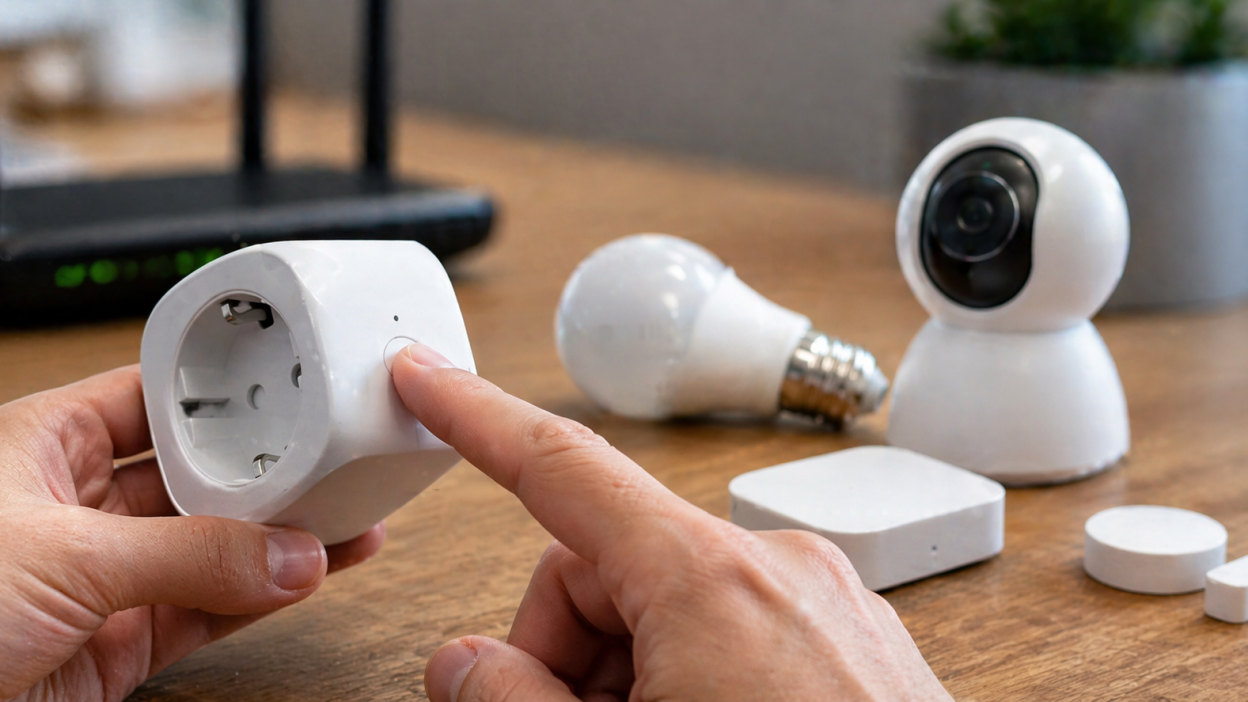
- smart plug — hold button
- smart bulb — power ON/OFF cycles
- sensors — pin reset
If you use the wrong method, nothing will happen.
Button is not held long enough
Many users release the button too early.
Most Tuya devices require:
- 5–10 seconds hold
- sometimes up to 15 seconds
If you release too soon, the reset will not trigger.
Device is frozen
If the device firmware is stuck, the button may not respond at all.
This often happens after:
- power outages
- failed updates
- unstable power supply
No power or unstable power
If the device does not have stable power, the reset function will not work correctly.
This includes:
- loose sockets
- faulty power supply
- low battery (for sensors)
Physical button damage
In some cases, the reset button is physically damaged or worn out.
This is more common in cheap devices.
LED indicator not working
Sometimes the reset works, but the LED does not show it.
This makes it look like nothing happened.
Quick fixes you should try first
- hold the button longer (10–15 seconds)
- restart the device
- check power source
- try another outlet
These steps solve many cases immediately.
Step-by-step troubleshooting
Step 1. Confirm correct reset method
Check how your device should be reset:
- plug/switch → hold button
- bulb → power cycle
- sensor → pin reset
Using the wrong method is the most common mistake.
Step 2. Hold button properly
Press and hold firmly for at least 10 seconds.
Watch for any LED change.
Step 3. Restart the device
Unplug the device, wait 10–20 seconds, and plug it back in.
Then try reset again.
Step 4. Check power stability
Make sure:
- socket is working
- device is fully powered
- no loose connection
Step 5. Try alternative reset method
Some devices support multiple reset modes.
Example:
- hold button → fast blink
- hold longer → slow blink (AP mode)
Step 6. Check hardware condition
If the button feels loose or does not click, it may be damaged.
In this case, reset may not work at all.
What to do if reset still does not work
- try different power source
- test another identical device
- check if device responds in app
- replace device if necessary
If none of the above works, it is likely a hardware issue.
Real-world scenarios
Button works but no blinking
This may indicate LED failure or wrong reset mode.
Nothing happens at all
This usually means no power or broken button.
Device resets randomly but not manually
This can be firmware instability.
FAQ
Why does nothing happen when I press reset?
Most likely wrong method, short press, or hardware issue.
How long should I hold reset button?
Usually 5–10 seconds, sometimes up to 15 seconds.
Can reset button break?
Yes, especially on low-cost devices.
What if LED does not blink?
Reset may still work, but LED indicator is faulty.
Conclusion
If your Tuya reset button is not working, the issue is usually simple: wrong reset method, short press, or power problem. In more rare cases, it can be hardware failure.
The key is to follow the correct reset procedure, check power stability, and test the device step by step. Once done properly, most Tuya devices enter pairing mode without problems.
You may also like: Factory reset Tuya device explained, How to reset Tuya smart plug, How to reset Tuya smart bulb, Tuya device not pairing guide.