
Tuya Device Won’t Reset: Why the Light Does Not Blink
You press and hold the reset button on your Tuya device, but nothing happens. The light does not blink, the device does not enter pairing mode, and the Tuya Smart or Smart Life app cannot find it.
This problem is common with smart plugs, switches, sensors, bulbs, cameras, and Zigbee devices. In many cases, the device is not dead. The reset process may be wrong, the device may be frozen, the power source may be unstable, or the button may not be responding correctly.
This guide explains why a Tuya device won’t reset, why the LED does not blink, and what you should check before replacing the device.
Quick answer
If your Tuya device won’t reset and the light does not blink, the most likely causes are wrong reset method, short button press, unstable power, frozen firmware, low battery, faulty reset button, or a device-specific reset procedure.
Do not assume the device is broken immediately. First, confirm the correct reset method for your device type and test power stability.
What should happen during a normal reset?
In a normal reset, a Tuya device should enter pairing mode. This is usually shown by a blinking LED indicator.
Depending on the device, you may see:
- fast blinking light for EZ pairing mode
- slow blinking light for AP pairing mode
- short LED flash after holding the reset button
- voice prompt on some cameras
- small indicator flash on sensors
If there is no blinking, no sound, no LED change, and no app detection, the reset command probably did not activate.
Quick diagnosis table
| What happens | Most likely cause | What to check first |
|---|---|---|
| No LED at all | No power or hardware fault | Try another outlet or battery |
| LED is on but never blinks | Wrong reset method or frozen device | Power cycle the device |
| Button clicks but nothing happens | Button not held long enough | Hold for 10–15 seconds |
| Device blinks once then stops | Pairing mode not activated fully | Repeat reset slowly |
| App cannot find device after blinking | Pairing/Wi-Fi issue | Check 2.4 GHz Wi-Fi |
Reason 1: you are using the wrong reset method
Not all Tuya devices reset the same way. This is the most common reason users think the reset button is not working.
Different devices use different reset actions:
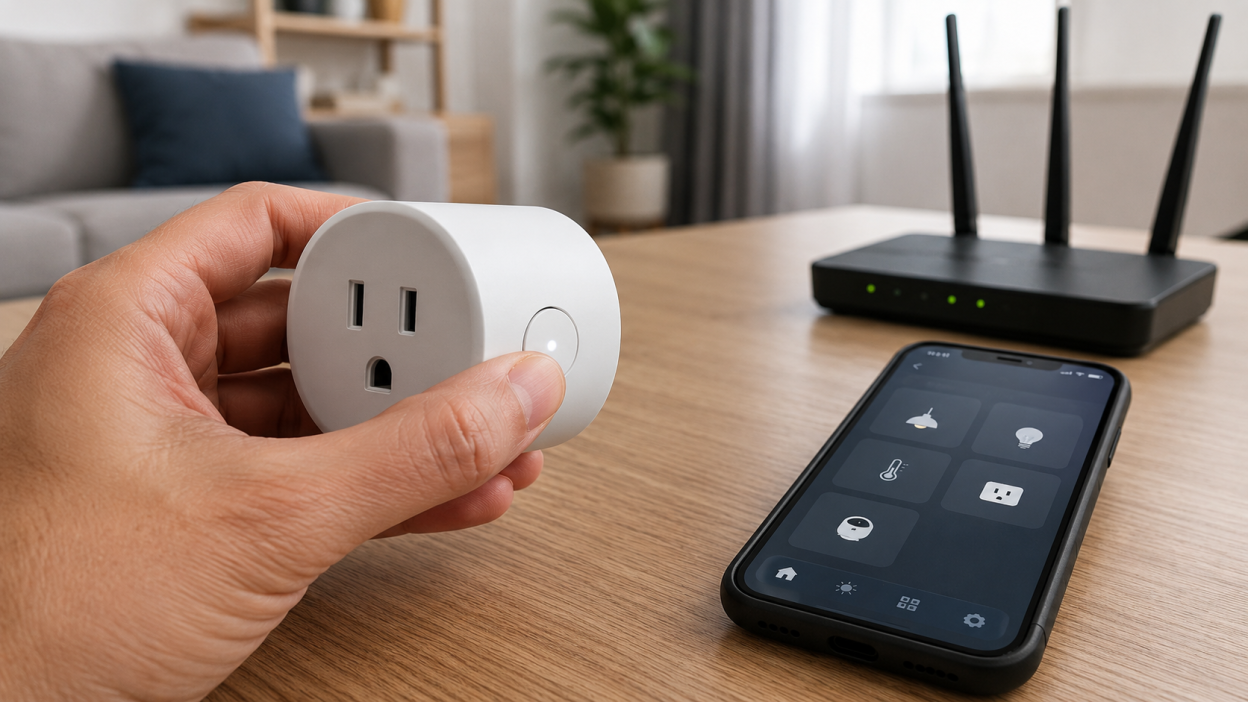
- Smart plug: press and hold the power button
- Smart switch: hold the switch button or reset button
- Smart bulb: turn power on and off several times
- Motion or door sensor: use a small pin reset button
- Camera: hold the reset button until voice prompt or LED change
- Zigbee device: hold reset button near the hub during pairing
If you try to reset a smart bulb by looking for a button, nothing will happen because many bulbs reset through power cycling instead.
Reason 2: the button is not held long enough
Many Tuya devices require a long press. A short press may only turn the device on or off, but it will not reset it.
Try this:
- Press and hold the button firmly
- Keep holding for at least 10 seconds
- Watch the LED indicator carefully
- Release only after the light starts blinking
Some devices may need up to 15 seconds. If you release too early, the device may never enter pairing mode.
Reason 3: the device is frozen
Tuya devices can freeze after unstable power, failed firmware updates, router problems, or repeated pairing attempts. When this happens, the reset button may appear to do nothing.
Before trying reset again, power cycle the device:
- unplug it from power
- wait 20–30 seconds
- plug it back in
- wait one minute
- try reset again
This simple step often brings the device back to a state where the reset button works normally.
Reason 4: power is unstable
A Tuya device cannot reset properly if power is unstable. This applies to smart plugs, switches, bulbs, hubs, cameras, and sensors.
Check these things:
- try another power outlet
- check if the wall switch is actually on
- replace batteries in sensors
- avoid loose extension cords
- make sure the device is fully seated in the socket
If the LED is weak, flickering, or not visible at all, solve the power issue first.
Reason 5: the reset button is damaged or stuck
On cheaper Tuya-compatible devices, the physical reset button can become weak, stuck, or misaligned. This is especially common with smart plugs and small sensors.
Signs of a physical button issue:
- button does not click
- button feels loose
- button stays pressed
- button works only sometimes
- device never reacts to long press
If the button is physically damaged, software troubleshooting will not help. The device may need replacement.
Reason 6: the LED indicator is not working
Sometimes the device may reset, but the LED indicator does not show it clearly. This is rare, but possible.
Try checking the app after reset attempt. If the device becomes discoverable, the reset may have worked even without visible blinking.
However, if the app still cannot find it and there is no LED reaction, the reset probably failed.
Real-life scenario
Example: you have a Tuya smart plug. The LED is on, but when you hold the button for five seconds, nothing changes. You try again several times and the plug still does not blink.
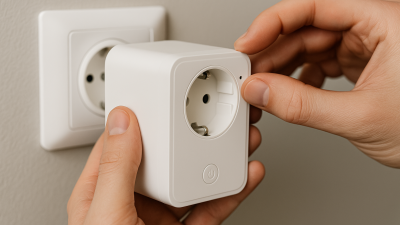
In this case, the first thing to do is not deleting the device from the app. Unplug the smart plug for 30 seconds, plug it back in, then hold the button for 10–15 seconds. If it still does not blink, test the plug in another outlet and check whether the button physically clicks.
Device-specific reset tips
Tuya smart plug won’t reset
Hold the power button for 10–15 seconds. If the LED does not blink, unplug the plug, wait 30 seconds, and try again in another outlet.
Tuya smart bulb won’t reset
Use the wall switch. Turn the bulb off and on 3–5 times until it starts blinking. Do not try to reset it from the app.
Tuya sensor won’t reset
Replace the battery first. Then use a pin to hold the small reset button for several seconds.
Tuya camera won’t reset
Make sure the camera has stable power. Hold the reset button until you hear a sound or see LED change. Some cameras need longer than plugs.
Zigbee Tuya device won’t reset
Keep the device close to the hub during reset and pairing. Low battery or weak hub signal can make reset look like it failed.
What to do before replacing the device
Before you decide the device is broken, test this checklist:
- confirm the correct reset method
- hold the button for 10–15 seconds
- power cycle the device
- try another outlet or fresh battery
- check if the LED works at all
- try pairing in both EZ and AP mode if available
- test near the router or hub
If the device still does not blink, respond, reset, or appear in the app, hardware failure becomes more likely.
What not to do
Do not keep pressing the reset button randomly for several minutes. This does not help and can make troubleshooting more confusing.
Do not delete the device from the app unless you are ready to pair it again. If the device cannot enter pairing mode, deleting it may leave you with no way to reconnect it.
Do not assume every Tuya device uses the same reset process. Always match the reset method to the device type.
When the device is probably broken
The Tuya device may be faulty if:
- there is no LED activity at all
- the button is physically broken
- the device does not power on in different outlets
- fresh batteries do not help
- it never enters pairing mode
- it fails after multiple correct reset attempts
At that point, replacing the device may be faster than continuing to troubleshoot.
FAQ
Why won’t my Tuya device reset?
The most common reasons are wrong reset method, short button press, frozen firmware, unstable power, low battery, or physical button failure.
Why does the light not blink when I hold the reset button?
The device may not be receiving the reset command, may be frozen, may have unstable power, or may use a different reset method.
How long should I hold the reset button?
For most Tuya plugs and switches, hold the button for 10–15 seconds or until the LED starts blinking.
Can I reset a Tuya device from the app?
Usually no. Most full resets require a physical button press, power cycling, or pin reset depending on the device.
Should I delete the device from the app first?
Not always. If the device cannot enter pairing mode, deleting it first may make reconnection harder. Try to activate reset mode before removing it.
You may also like
- Before You Reset a Tuya Device, Try These Fixes First
- Tuya Reset Button Does Nothing: What to Check Before Replacing It
- Tuya Device Reset But Still Not Pairing: What to Do Next
- Tuya App Cannot Find Device: Pairing Fixes That Actually Work