
If your Zigbee Tuya device shows as offline in the app, the problem is usually different from Wi-Fi devices. Zigbee devices do not connect directly to your router — they work through a hub (gateway) and a mesh network.
This means that when a Zigbee device goes offline, the issue is often related to the hub, signal path, or network structure rather than your internet connection.
In this guide, you will learn how Zigbee Tuya works, why devices go offline, and how to fix the issue step by step.
How Zigbee Tuya devices work
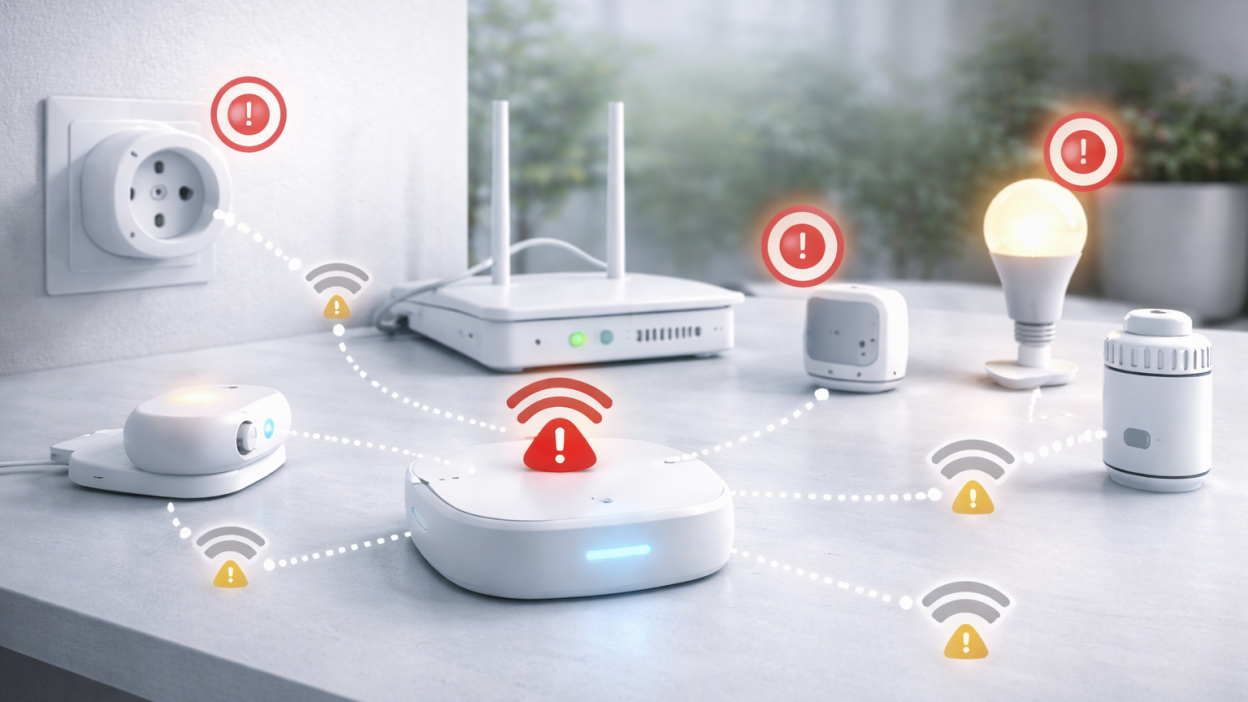
Unlike Wi-Fi devices, Zigbee devices connect to a central hub (also called a gateway). The hub connects to your router, and devices communicate with each other to form a mesh network.
This means:
- devices do not depend on Wi-Fi directly
- signal is passed between devices
- range increases as you add more devices
Because of this structure, Zigbee devices are usually more stable — but when something breaks, it affects multiple devices.
Main reasons Zigbee Tuya devices go offline
Hub (gateway) issues
If the Zigbee hub disconnects or loses internet, all connected devices may appear offline in the app.
This is the first thing you should always check.
Weak Zigbee signal
Zigbee devices rely on signal relays. If a device is too far from the hub or other Zigbee nodes, it may lose connection.
Broken mesh network
If one important Zigbee device (like a plug acting as a repeater) is removed or powered off, it can break the connection path for other devices.
Interference
Zigbee operates on 2.4 GHz, similar to Wi-Fi. Heavy Wi-Fi traffic can interfere with Zigbee communication.
Device pairing issues
Sometimes a device appears connected but is not properly paired with the hub.
Quick check: what to do first
If your Zigbee Tuya device is offline, start with these steps:
- Check if the hub is online
- Restart the hub
- Check power on the device
- Move the device closer to the hub
These steps solve most problems quickly.
Step-by-step troubleshooting
Step 1. Check Zigbee hub status
Open your Tuya or Smart Life app and check if the hub is online.
If the hub is offline:
- check power supply
- restart the hub
- check router connection
If the hub is not working, all devices will appear offline.
Step 2. Restart the hub
Unplug the hub for 10–20 seconds and plug it back in.
Wait 1–2 minutes and check the app again.
Step 3. Check device power
Battery-powered sensors may go offline when the battery is low.
Plug-powered Zigbee devices should also be checked to ensure they have stable power.
Step 4. Improve Zigbee signal path
If the device is far from the hub, it may lose connection.
Solutions:
- move device closer to hub
- add Zigbee repeater (smart plug)
- avoid thick walls and metal barriers
Zigbee works best when devices form a connected mesh.
Step 5. Rebuild the Zigbee mesh
If you removed or unplugged a Zigbee device recently, the network may need time to rebuild.
You can speed this up by:
- restarting the hub
- power cycling nearby Zigbee devices
Step 6. Re-pair the device
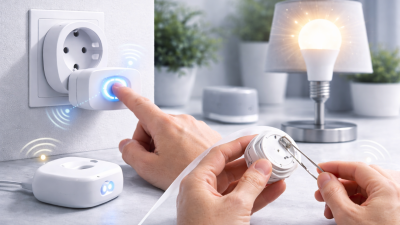
If the device still shows offline, remove it from the app and pair it again.
Make sure the device is close to the hub during pairing.
Common real-world scenarios
All Zigbee devices offline
This almost always means the hub is offline or disconnected from the router.
One device offline
This usually means weak signal or device-specific issue.
Devices offline after moving furniture
Furniture and walls can affect signal paths. Zigbee mesh may need to rebuild.
How to improve Zigbee stability
- place hub centrally in the home
- add powered Zigbee devices (repeaters)
- avoid placing hub near router interference
- keep devices within reasonable distance
Good network design is the key to stable Zigbee operation.
Zigbee vs Wi-Fi stability
Zigbee devices are usually more stable than Wi-Fi devices because they do not rely on direct router connection.
However, Zigbee depends on a well-built mesh network. If the mesh is weak, devices can still go offline.
FAQ
Why is my Zigbee device offline but hub is online?
This usually means weak signal or broken mesh path.
Do Zigbee devices need Wi-Fi?
No. They communicate through a hub, not directly via Wi-Fi.
How to improve Zigbee range?
Add more powered Zigbee devices to act as signal repeaters.
Is Zigbee more reliable than Wi-Fi?
In most cases yes, especially in larger smart homes.
Conclusion
If your Zigbee Tuya device is offline, focus on the hub, signal path, and mesh network rather than Wi-Fi. Most issues can be solved by restarting the hub, improving device placement, or rebuilding the Zigbee network.
A well-designed Zigbee network is one of the most stable solutions for smart homes, but it requires proper setup and planning.
You may also like: Tuya device offline — how to fix it, Why Tuya devices go offline, Tuya device keeps going offline, Tuya Wi-Fi problems guide.