
When you should reset Tuya devices — and when you should NOT
Resetting a Tuya device is often seen as a universal fix for every problem. Device offline? Reset. Not connecting? Reset. Acting strange? Reset again.
But this approach is wrong.
In reality, most Tuya issues are caused by network instability, not device configuration. Resetting too often wastes time, breaks automations, and can even make troubleshooting harder.
This guide explains when you should reset Tuya devices — and more importantly, when you should avoid it.
What reset actually does
A reset is not just a restart. It is a full wipe of the device.
When you reset a Tuya device:
- Wi-Fi or Zigbee connection is deleted
- device is removed from your account
- all automations and scenes are lost
- the device returns to factory state
After reset, you must set up everything again.
Quick rule
If the problem is network-related — reset will not fix it.
This is the most important thing most users misunderstand.
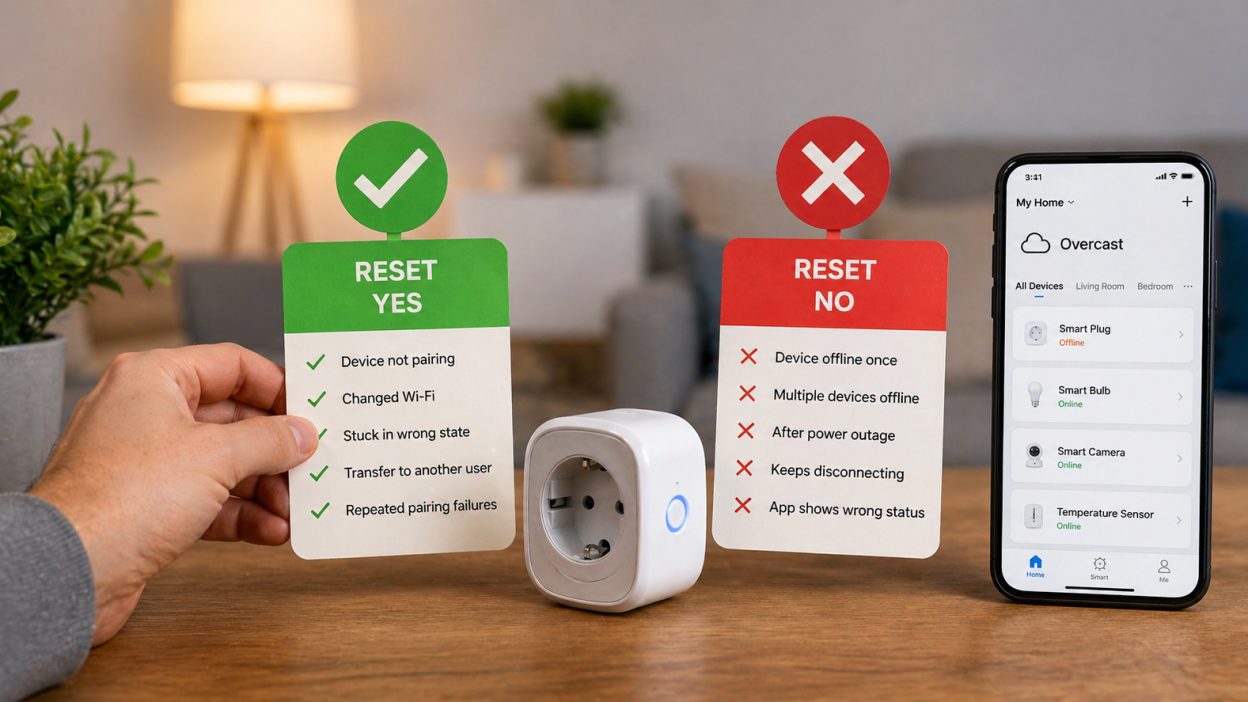
When you SHOULD reset Tuya device
Device does not pair at all
If your device is not detected during setup, even after correct Wi-Fi and app setup, reset is necessary.
You changed Wi-Fi network
Tuya devices cannot automatically switch networks. Reset is required to connect to a new router or SSID.
Device is stuck in wrong state
If the device behaves incorrectly (for example, shows online but does not respond), reset can fix internal configuration issues.
You are transferring device to another user
Reset is required to remove the device from your account before someone else can use it.
Pairing process fails repeatedly
If you tried to connect multiple times and it fails, reset helps clear incorrect pairing attempts.
When you should NOT reset
Device went offline once
This is usually caused by Wi-Fi instability or router restart. Reset will not solve it.
Multiple devices went offline
This is almost always a router or network issue.
After power outage
Devices often reconnect after a few minutes or after router restart.
Device keeps disconnecting
This is a classic Wi-Fi problem. Resetting will not fix weak signal or interference.
App shows incorrect status
Sometimes the issue is with Tuya cloud or app sync.
What to do BEFORE reset
Before resetting, always check these:
- restart the device
- restart the router
- check Wi-Fi signal strength
- confirm 2.4 GHz network is active
- check if other devices have same issue
In many cases, this solves the problem without reset.
Real-world scenarios
Scenario 1 — device offline after router reboot
Correct action: wait or restart device.
Wrong action: reset.
Scenario 2 — device not found during setup
Correct action: reset and pair again.
Scenario 3 — device disconnects randomly
Correct action: improve Wi-Fi or router.
Wrong action: reset repeatedly.
Scenario 4 — moving device to new home
Correct action: reset and reconnect.
Reset vs restart
These are different actions:
- Restart — temporary reboot, keeps settings
- Reset — full wipe, deletes everything
Always start with restart.
Hidden problem: overusing reset
Many users create a cycle:
- device disconnects
- user resets device
- device reconnects
- problem returns
- user resets again
This creates the illusion that reset “helps”, but in reality it only temporarily reconnects the device to a still unstable network.
Better strategy
If you want a stable smart home:
- invest in a good router
- ensure strong Wi-Fi coverage
- avoid overloading network
- consider Zigbee for larger setups
This eliminates most issues permanently.
FAQ
Should I reset device if it is offline?
No. Try restart and network checks first.
Why does reset seem to fix the problem?
Because the device reconnects temporarily, but the root issue remains.
Is frequent reset harmful?
Not physically, but it wastes time and breaks automations.
How often should I reset Tuya devices?
Only when necessary — not as a routine fix.
Conclusion
Resetting a Tuya device is a useful tool — but only when used correctly. Most problems in smart homes are caused by network issues, not device settings.
If you understand when to reset and when to avoid it, you will save time, reduce frustration, and build a much more stable smart home system.
You may also like: Factory reset Tuya device explained, Tuya device offline — how to fix it, Tuya device keeps going offline, Tuya Wi-Fi problems guide.