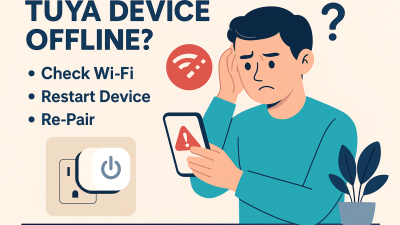

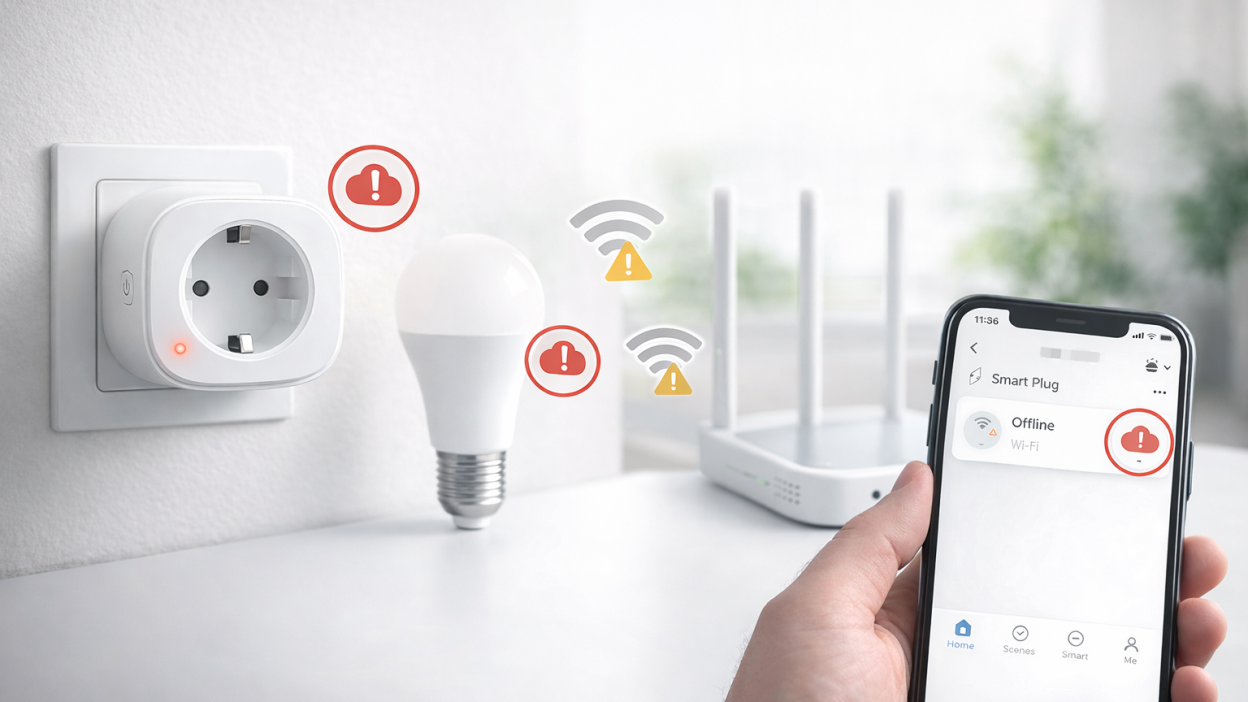
One of the most common problems in the Tuya smart home ecosystem is devices suddenly showing an offline status in the Tuya Smart or Smart Life app. Users often think the device is broken, but in reality the issue is usually caused by network instability, router configuration, or power interruptions.
Understanding why Tuya devices go offline is important because the solution is often simple. In this guide we will explain the most common causes of Tuya connectivity issues and show practical ways to prevent the problem in the future.
What “device offline” actually means
When a Tuya device appears offline, it means the device cannot communicate with the Tuya cloud servers. The device may still have power and appear to function normally, but the app cannot control it because the connection to the network is lost.
This usually happens because the device cannot reach your Wi-Fi router or because the router cannot connect the device to the internet.
The most common reasons Tuya devices go offline
Unstable Wi-Fi signal
Weak Wi-Fi is the number one reason Tuya devices disconnect. Many smart plugs, bulbs and switches are installed far from the router or behind thick walls, which reduces signal quality.
If the signal becomes unstable, the device may disconnect from the network and remain offline until it reconnects.
Router overload
Low-cost home routers often struggle when too many devices are connected at the same time. In modern homes it is common to have dozens of connected devices including phones, TVs, laptops and smart home equipment.
If the router cannot manage the network load, IoT devices like Tuya sensors and plugs may randomly disconnect.
Wi-Fi settings changes
If you recently changed your Wi-Fi name, password or router hardware, all Tuya devices will lose their connection. The devices store Wi-Fi credentials locally and cannot automatically reconnect to a new network.
In that case the device must be paired again through the Tuya or Smart Life app.
Power outages
After a power outage, some Tuya devices fail to reconnect properly. This often happens when the device powers on before the router has finished booting.
The device tries to reconnect but fails, which leaves it in offline mode until it is restarted.
Network interference
Wi-Fi interference from nearby networks can also affect Tuya devices. This is especially common in apartment buildings where many routers operate on the same channels.
Interference can cause unstable connections and frequent device disconnects.
How to diagnose the problem
If one Tuya device goes offline occasionally, the problem may be with that specific device. However, if several devices disconnect at the same time, the cause is almost always related to the router or Wi-Fi network.
Try these quick checks:
- Check if other Tuya devices are also offline
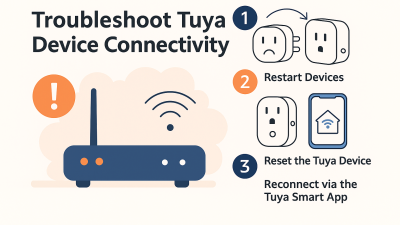
- Restart the router
- Restart the affected device
- Check Wi-Fi signal strength in the installation area
These simple tests can quickly identify the root of the problem.
How to prevent Tuya devices from going offline
Use a reliable router
A stable router is the foundation of a reliable smart home. Cheap routers often struggle with many connected devices.
If your home has more than 10 smart devices, upgrading to a higher-quality router or mesh Wi-Fi system can dramatically improve stability.
Keep devices within Wi-Fi range
Devices installed too far from the router may constantly lose connection.
Try to avoid placing smart devices:
- behind thick concrete walls
- inside metal enclosures
- far from the router
If necessary, use a Wi-Fi extender or mesh system.
Use a dedicated 2.4 GHz network
Most Tuya Wi-Fi devices only support 2.4 GHz networks. If your router combines 2.4 GHz and 5 GHz under one network name, devices may struggle to reconnect.
Separating the networks can improve pairing reliability.
Avoid frequent router changes
Changing your router or Wi-Fi credentials too often creates unnecessary reconnect problems. Every time the network changes, all Tuya devices must be paired again.
Consider Zigbee devices
If you plan to build a larger smart home, Zigbee devices may be a better option. Zigbee devices communicate through a hub and form a mesh network, which is often more stable than relying entirely on Wi-Fi.
Common real-world scenarios
Devices disconnect at night
This can happen when routers automatically restart or change channels overnight. Checking router settings can often fix the problem.
Devices disconnect after internet outage
If the internet connection drops temporarily, some Tuya devices fail to reconnect automatically.
Restarting the router and the device usually restores the connection.
Only one device disconnects
This usually means the device is installed in an area with poor signal coverage.
Improving Wi-Fi signal strength normally solves the issue.
FAQ
Why do Tuya devices randomly go offline?
The most common reason is unstable Wi-Fi. Weak signal, router overload, or interference can cause devices to disconnect.
Do Tuya devices require internet access?
Yes. Most Tuya Wi-Fi devices depend on cloud communication, which means they require internet access to function normally in the app.
Can router upgrades fix Tuya issues?
Yes. Many users solve connectivity problems simply by upgrading to a better router or mesh network.
Are Zigbee Tuya devices more stable?
In many cases yes. Zigbee devices communicate through a hub and are less dependent on direct Wi-Fi connection.
Conclusion
Tuya devices going offline is usually not a hardware failure. Most issues are caused by network instability, weak Wi-Fi signal, or router limitations.
Improving network stability, using a reliable router, and placing devices within proper Wi-Fi range can prevent most disconnect problems. With the right setup, Tuya devices can remain connected and reliable for long periods of time.
You may also like: Tuya device offline — how to fix it step by step, Tuya device offline after power outage, Tuya device keeps going offline — real fixes, Zigbee Tuya device offline troubleshooting guide.