

Why Tuya Smart Lighting Is One of the Best Upgrades for Your Home
Smart lighting is often the first step people take when building a smart home. Tuya’s ecosystem allows you to automate lighting, control brightness, adjust color temperatures, and build advanced routines using sensors, schedules, and voice assistants. It’s affordable, easy to set up, and compatible with almost every major platform.
In this expert guide, we break down how Tuya lighting works, how to install and automate bulbs and switches, and how to create lighting scenes that truly improve comfort and energy efficiency.
Types of Tuya Smart Lighting Devices
1. Smart Bulbs (Wi-Fi or Zigbee)
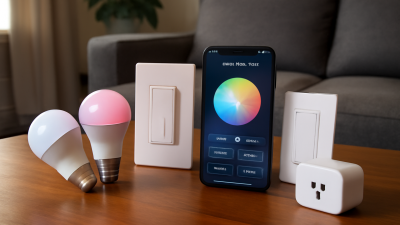
These can change brightness, colors, color temperature, and support automation scenes. Zigbee bulbs respond faster and are more stable in large setups.
2. Smart Switches
Ideal for controlling traditional ceiling lighting. Even if the bulb is not smart, the switch can automate on/off functionality and integrate into scenes.
3. LED Strips
Perfect for ambient lighting. Tuya strips support dimming, color changing, schedules, and dynamic effects.
4. Smart Lamps & Decorative Lights
Stand-alone lamps that work with the Tuya app. Easy to use and great for desks, bedrooms, and accent lighting.
How to Set Up Tuya Smart Lighting
Step 1: Install and Power On the Device
Make sure the bulb or switch is in pairing mode (fast blinking).
Step 2: Add It to Tuya / Smart Life
In the Tuya app, go to Add Device → Lighting. Choose your device and connect to your 2.4 GHz Wi-Fi network.
Step 3: Rename and Organize
Use clear names like “Bedroom Lamp” or “Kitchen Ceiling” to make voice control more intuitive.
Step 4: Test the Controls
Check brightness, color temperature, RGB colors (if supported), and on/off timings.
How to Automate Tuya Smart Lighting
Tuya supports highly flexible automations, allowing your lighting to react to your habits, environment, or presence.
1. Scheduled Lighting
Examples:
- Turn the lights on at sunset
- Dim the lights automatically at 22:00
- Turn off all lights when leaving home
2. Motion-Activated Lighting
Using Tuya motion sensors, you can automate lights in:
- hallways
- bathrooms
- closets
- garages
Add night-time conditions so the lights activate only when needed.
3. Ambient Lighting Scenes
You can create mood lighting for:
- movie nights
- reading
- romantic lighting
- gaming setups
4. Voice Assistant Integration
Alexa and Google Home allow hands-free control. Examples:
- “Alexa, dim the living room lights to 40%.”
- “Hey Google, turn the kitchen lights to warm white.”
Advanced Automation with Conditions
Tuya supports conditional logic such as:
- time ranges
- weather conditions
- presence detection (home/away)
- temperature or humidity thresholds
This allows you to create powerful lighting routines such as:
- Lights at 10% brightness between 2:00–6:00 AM for safe walking
- Lights turn on if motion is detected AND it’s dark outside
- Bedroom lights fade in when your alarm goes off
Common Issues and How to Fix Them
- Bulb not pairing → reset by turning on/off 3–5 times
- Laggy response → switch to Zigbee or strengthen Wi-Fi
- Scenes not running → check conditions and device online status
- Lights turning on randomly → disable “power-on state” or check automations
Related Reading
If you’re building a lighting-based automation system, our guide to Tuya sensors will help you create more precise and reliable routines.